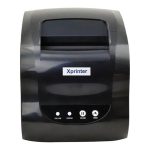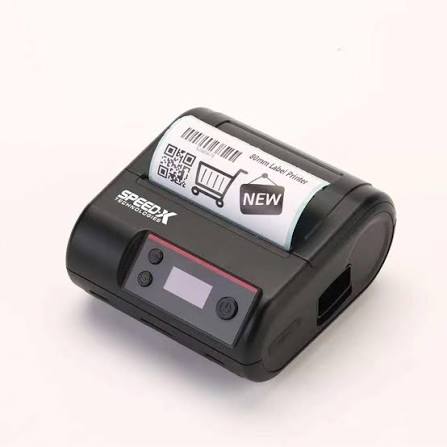

Receipt printers are widely used in retail stores, restaurants, supermarkets, pharmacies, and service businesses to produce transaction records and customer receipts. Because these devices often operate throughout the day, regular maintenance is essential for keeping them in good working condition. Dust accumulation, incorrect paper loading, worn components, and poor operating practices can gradually affect printing quality and cause unexpected equipment failures.
A consistent maintenance routine helps businesses reduce downtime, maintain clear print output, and extend the useful life of their equipment. Understanding how to care for a Receipt Printer also allows employees to identify minor issues before they develop into more expensive technical problems.
1. Clean the Printhead Regularly
The printhead is one of the most important components in a thermal receipt printer. It generates the heat required to produce text and images on thermal paper. Over time, paper dust, adhesive residue, and other contaminants may accumulate on its surface.
A dirty printhead can cause faded text, uneven printing, missing lines, or inconsistent image quality. Regular cleaning helps maintain clear output and reduces unnecessary strain on the printing mechanism.
Before cleaning, switch off the printer and allow the printhead to cool if it has been operating continuously. Follow the manufacturer’s instructions and use an approved cleaning solution or cleaning material. Avoid abrasive objects or excessive pressure, as these can damage the sensitive printhead surface.
2. Use Compatible and High-Quality Thermal Paper
Paper quality has a direct effect on printing performance. Thermal printers rely on specially coated paper that reacts to heat, so ordinary paper cannot produce the same results.
Using unsuitable or low-quality paper may lead to faded receipts, inconsistent printing, excessive paper dust, and feeding problems. Incorrect roll dimensions can also cause paper to shift or become stuck inside the printer.
Businesses should check the manufacturer’s recommendations for paper width, roll diameter, thickness, and thermal compatibility. Storing paper in a cool, dry environment away from direct sunlight and excessive heat can also help preserve its quality.
3. Keep the Paper Path Free from Dust and Debris
The paper-feeding mechanism must remain clear for receipts to move smoothly through the printer. Small paper fragments, dust, and other debris can interfere with rollers and cause irregular feeding.
During routine maintenance, inspect the accessible paper compartment and remove loose debris using an appropriate cleaning method. Pay attention to areas around the paper inlet, rollers, and receipt outlet.
Never use sharp tools to remove objects from the paper path. These can scratch internal surfaces or damage mechanical parts. If an obstruction cannot be removed safely, consult the manufacturer’s service instructions or seek professional assistance.
4. Load Paper Rolls Correctly
Incorrect paper installation is a common reason for printing problems. If a thermal paper roll is placed in the wrong direction, the printer may feed paper without producing visible text. Misaligned rolls can also cause uneven feeding or repeated paper jams.
Employees should follow the loading diagram provided by the manufacturer. The paper should unwind in the correct direction, sit securely in the compartment, and pass through the designated feeding path.
After installing a new roll, close the printer cover properly and perform a test print. This simple check helps confirm that the paper is positioned correctly before the device is used for customer transactions.
5. Inspect Cables and Power Connections
Stable electrical and data connections are necessary for consistent printer operation. Loose power adapters, damaged cables, or unreliable network connections may cause unexpected shutdowns, communication errors, or interrupted print jobs.
Regularly inspect the power cable, adapter, USB connection, and other interfaces used by the printer. Check for visible damage, loose plugs, and signs of overheating. Replace damaged accessories with compatible components recommended by the manufacturer.
For network-connected printers, businesses should also check Ethernet cables and wireless connections. Keeping the printer within a suitable network range can help prevent communication interruptions.
6. Maintain the Automatic Cutter
Many modern receipt printers include an automatic cutter that separates receipts after printing. This feature reduces manual handling and helps employees complete transactions more efficiently.
However, paper fragments and accumulated debris can affect cutter movement. Regularly inspect the accessible cutter area and remove loose paper pieces according to the manufacturer’s cleaning instructions.
If the cutter becomes stuck, avoid forcing it manually or inserting sharp objects into the mechanism. Some models provide a specific recovery or reset procedure. Persistent cutting problems may indicate mechanical wear or damage that requires professional repair.
7. Keep the Printer in a Suitable Operating Environment
Environmental conditions can influence printer performance and component lifespan. Excessive heat, moisture, dust, and direct sunlight may affect internal electronics, thermal paper, and mechanical parts.
Businesses should position printers on stable, level surfaces with sufficient ventilation. Avoid placing them near ovens, heaters, open windows, or areas where liquids may spill onto the equipment.
In restaurants and industrial environments, additional protection may be necessary because printers can be exposed to grease, moisture, and airborne particles. Selecting a location that limits these risks can reduce maintenance requirements.
8. Update Drivers and Printer Software
Hardware maintenance is only one part of keeping a receipt printer in good condition. Software and driver compatibility also influence how reliably the device receives and processes print commands.
Outdated drivers may cause communication failures, incorrect formatting, or compatibility problems after an operating system update. Businesses should periodically check for compatible software updates through the manufacturer’s official support resources.
Before installing an update, confirm that it supports the specific printer model and operating system. Keeping a record of the installed driver version can also make troubleshooting easier if a new update creates unexpected issues.
9. Avoid Overloading the Printer
Although many receipt printers are designed for regular commercial use, every model has operating specifications and recommended workload limits. Using a device beyond its intended capacity may increase wear on the printhead, rollers, cutter, and other components.
Businesses should consider expected transaction volume when selecting printing equipment. A small printer designed for occasional use may not be suitable for a busy supermarket or restaurant that produces hundreds of receipts each day.
Allowing the device to operate within its recommended conditions helps maintain consistent performance. If printing requirements increase over time, upgrading to a model designed for higher-volume use may be more practical.
10. Establish a Routine Maintenance Schedule
Maintenance becomes more effective when it follows a consistent schedule rather than being performed only after a problem occurs. Businesses can assign basic cleaning and inspection responsibilities to employees while arranging periodic professional servicing when necessary.
A practical maintenance schedule may include the following activities:
| Maintenance task | Suggested frequency |
|---|---|
| Inspect paper supply and loading | Daily or whenever replacing a roll |
| Check cables and power connections | Weekly |
| Remove visible dust and paper debris | Weekly |
| Clean the printhead using approved methods | According to manufacturer guidance |
| Inspect rollers and cutter operation | Monthly or as recommended |
| Review drivers and software compatibility | Periodically and after system updates |
| Arrange professional inspection | Based on usage and manufacturer recommendations |
The exact schedule should reflect the printer model, operating environment, and transaction volume. High-use devices may require more frequent attention than printers used occasionally.
11. Recognize Early Signs of Printer Wear
Identifying performance changes early can help prevent more serious equipment failures. Businesses should pay attention to recurring problems rather than treating every printing issue as an isolated incident.
Common warning signs include:
- Faded or uneven printing despite using suitable paper.
- Repeated paper jams or irregular paper feeding.
- Unusual mechanical noises during operation.
- Frequent connection failures or unexpected shutdowns.
- Inconsistent cutter performance.
- Increasingly slow printing without an obvious software cause.
When these symptoms appear, employees should check basic maintenance factors first. If the problem continues, professional diagnosis can help determine whether a component needs repair or replacement.
12. Train Employees in Proper Printer Handling
Employees interact with receipt printers throughout the working day, so their handling practices can significantly affect equipment condition. Incorrect paper loading, rough handling, and unsafe attempts to clear jams may cause avoidable damage.
Basic training should cover paper replacement, safe cleaning, routine inspections, and the correct procedures for responding to error indicators. Employees should also know when to stop using a printer and report a problem instead of attempting an unfamiliar repair.
Clear instructions can make maintenance more consistent across different shifts and checkout stations. This is particularly useful for businesses operating multiple printers in different departments.
13. When to Repair or Replace a Receipt Printer
Regular maintenance can extend service life, but it cannot prevent every form of wear or technical failure. Printheads, cutters, rollers, power components, and electronic circuits may eventually require repair or replacement.
When a printer develops persistent faults, businesses should compare repair expenses with the cost of purchasing a replacement. Other considerations include equipment age, spare-part availability, software compatibility, printing speed, and current transaction requirements.
A replacement may be more suitable when the printer frequently fails, no longer receives compatible software support, or cannot handle the business’s workload. Choosing equipment that matches expected usage can help reduce future maintenance challenges.
Conclusion
Maintaining a receipt printer involves regular cleaning, proper paper selection, careful handling, stable connections, and suitable operating conditions. These practices help preserve print quality, reduce avoidable interruptions, and protect important internal components from premature wear.
Businesses can improve long-term performance by establishing a maintenance schedule, training employees, and addressing early warning signs promptly. With consistent care and appropriate servicing, receipt printers can remain dependable parts of everyday transaction operations for an extended period.